Ovens & Ranges
Oven Not Holding Temperature? Calibration and Sensor Fixes
Oven not holding temperature, running hot or cold, or swinging wildly? The normal swings, how to test and calibrate it, and the parts that usually fail.
By Jax Appliance Pros · · 7 min read
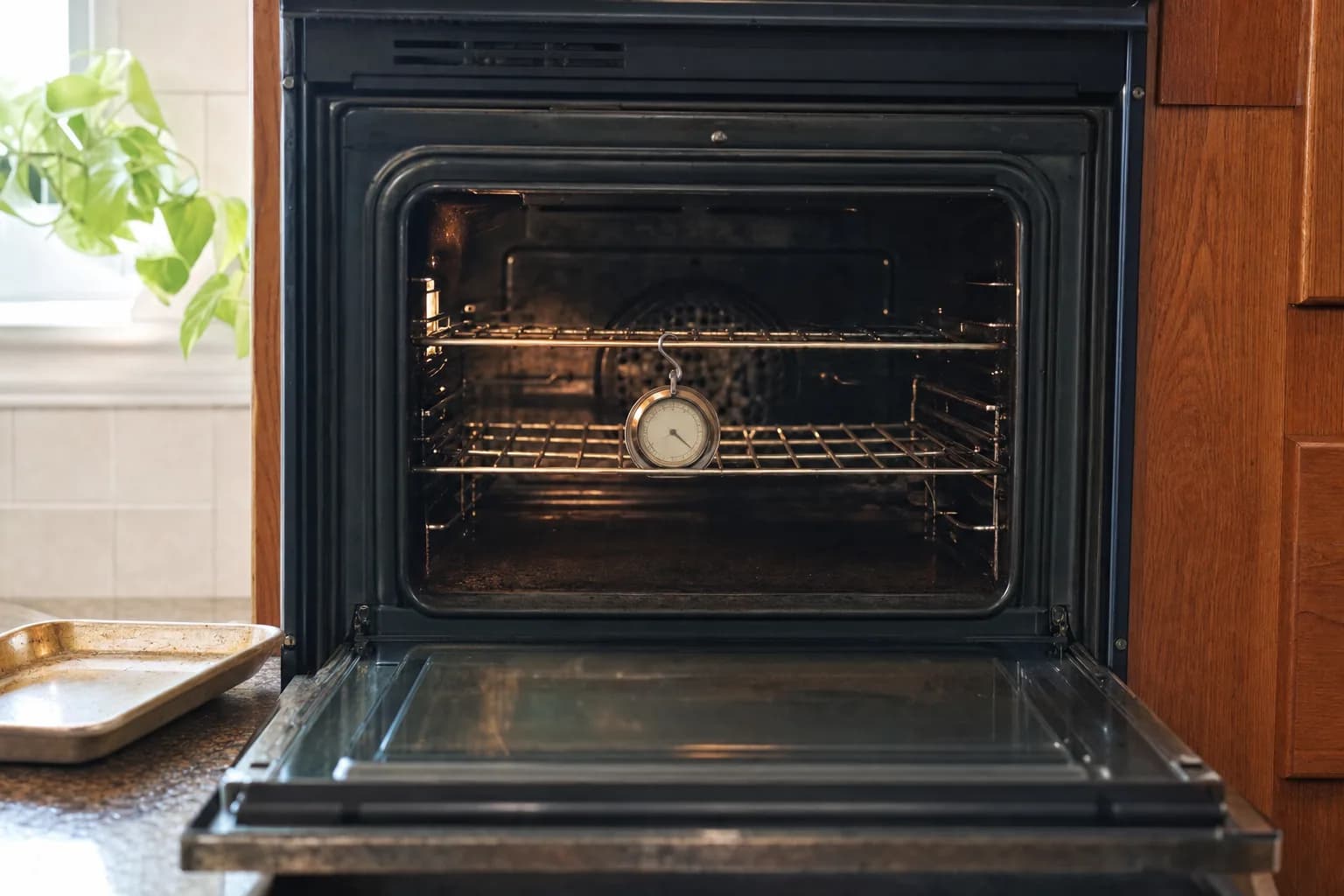
An oven not holding temperature is often doing exactly what it was designed to do: every oven cycles its heat on and off, so the temperature inside rises and falls around the setting. GE says a swing of about 30 degrees above and below the set temperature is normal on most ovens. The real problems are an oven that averages well off the setting, swings much wider, or suddenly starts burning or undercooking food, and those usually come down to a sensor, a heating part, the door gasket or the control.
Normal temperature swings
An oven does not hold one steady temperature. It heats until it passes the setting, shuts the heat off, and turns it back on when the temperature drops below the setting, aiming for the right average. GE puts the normal temperature swings at about 30 degrees either way in most cases, roughly 60 degrees from top to bottom, by design. Samsung gives an example: an oven set to 350°F usually ranges between 330°F and 370°F to keep an average of 350°F.
That is why a single glance at a thermometer can make a healthy oven look broken. It also matters on convection: Samsung says its Auto Conversion feature, enabled by default, lowers any temperature you enter by 25°F when you use convection, so a lower number on the display may be the oven doing what it was set to do.
Oven not holding temperature? Checks you can do yourself
Let the oven cool, and switch off the breaker before you touch an element or remove any panel.
- Preheat fully. Wait for the preheat signal before the food goes in. GE says preheating matters most above 275°F and for short bakes like cookies, cakes and biscuits.
- Keep the door closed. Every opening lets heat out, and GE notes that frequent door openings lengthen cooking times.
- Give the air room. Whirlpool asks for about 2 inches of space around pans and warns that foil covering a rack blocks airflow. GE notes that a rack installed backward can keep the door from sealing.
- Inspect the door gasket. With the oven cool, look along the seal around the oven opening for tears, flat spots or missing sections. GE says a damaged gasket lets heat escape.
- Run a bake test. GE and Whirlpool both suggest baking a tube of refrigerated biscuits exactly as the package says. If they are done and evenly browned in the stated time, the oven is accurate enough.
- Look at the elements. With the breaker off, check the bake and broil elements for breaks, blisters or cracks. On a gas oven, watch for the igniter to glow, as described in oven not heating up.
- Calibrate if it is consistently off. See below.
Testing with an oven thermometer
Manufacturers disagree about thermometers. Whirlpool's calibration guide uses one: center it on a rack, set the oven to 350°F, keep the door closed through preheat and read it through the window when preheat finishes. If it reads 15 degrees or more above or below 350°F, Whirlpool says to calibrate. Whirlpool's support pages and Samsung, on the other hand, say not to use a thermometer to measure oven temperature, and GE prefers the bake test. Whirlpool's reason: most thermometers respond too slowly to the oven's cycling.
If you do use a thermometer, use it over time rather than trusting one reading. Leave it on the center rack, note the highest and lowest readings over 20 to 30 minutes after preheat, and look at the midpoint between them. A midpoint close to the setting means a healthy oven. A midpoint far off, or swings much wider than 30 degrees either way, is worth a closer look.
How to calibrate your oven
Most electronic ovens let you nudge the temperature yourself, and the exact steps are in your owner's manual:
- GE: up to 35°F hotter or cooler. GE says the adjustment does not change broil or self-clean temperatures and stays in memory after a power failure. Look for "Adjust the Oven Thermostat" in the manual.
- Whirlpool: up to 30°F either way on select models, in 5°F or 10°F steps depending on the control. Whirlpool says never to change it more than 10 degrees at a time, then retest.
- Samsung: up to 35°F either way, usually found under Settings or Options as Thermostat Adjustment.
Calibration fixes a small, steady error. Whirlpool says that if an oven is off by 100 degrees or more, you should not try to calibrate it; call a technician instead. The same goes for an oven that drifts again after you adjust it, since that usually means a failing sensor.
Oven slow to preheat or never reaching temperature
Some slow preheats are normal. Whirlpool notes that extra racks left inside, larger oven cavities, hidden bake elements, a 208-volt supply instead of 240 volts and a cold room all lengthen preheat. GE says some newer models signal preheat in about 7 to 12 minutes because they alert you when the oven is hot enough to add food, while ovens that signal at the full set temperature take about 10 to 20 minutes.
A preheat that suddenly takes much longer than it used to is a different story. It is the classic early sign of a failing bake element or a weakening gas igniter; see oven not heating up.
Oven running hot or swinging too far
- The temperature sensor is the thin rod on the back wall of the oven. As it drifts, the control misjudges the temperature. GE says its F3 and F4 codes usually mean the sensor needs to be replaced; see GE oven error codes.
- A relay on the control switches the element or igniter on and off. A relay that sticks closed can keep heating past the setting; GE's F2 code means the oven has exceeded a preset temperature limit. If the oven keeps heating with the controls off, switch off the breaker and leave it off until it is repaired.
- The convection fan spreads heat evenly. If it stops, convection bakes come out uneven, with hot and cold spots.
What usually fails
- Temperature sensor. The oven runs consistently hot or cold by more than calibration can fix, or shows a sensor code.
- Bake element. Slow preheat, pale bottoms and sometimes burned tops.
- Broil element. Slow preheat on models that use it to help preheat.
- Oven igniter. On a gas oven, a weak igniter lights late, so the temperature sags further between cycles.
- Control relay. Runaway heat, or heat that cuts out partway through a bake.
- Door gasket or hinges. Heat escaping around the door, or a door that does not close flush.
- Convection fan motor. Uneven convection baking, often with a new noise.
What it costs in Jacksonville
For freestanding ranges, the diagnostic is $79 and repairs start at $179 plus parts. Built-in wall ovens and double ovens take longer to access, so the diagnostic is $119 and repairs start at $249 plus parts. The diagnostic is waived when you approve the repair, and you get a written flat-rate estimate before any work begins. Typical all-in repairs on standard brands run $180 to $400 for a range and $280 to $500 for a wall oven; premium brands run higher. Sensors and gaskets sit at the lower end, and many repairs can be finished on the first visit. Every repair carries our 90-day parts-and-labor warranty. See our pricing.
Repair or replace?
A sensor, gasket or element is almost always worth replacing; ranges typically last 13 to 15 years and wall ovens 15 or more. For an older oven with several problems, our repair-or-replace guide walks through the math.
Schedule oven repair or range repair, or call (904) 561-4790 for same-day service across Jacksonville & the First Coast.
About Jax Appliance Pros
Locally owned appliance repair for Jacksonville, the Beaches, St. Johns, Clay and Nassau counties. Same-day or next-day service on refrigerators, washers, dryers, dishwashers, ovens, cooktops, ranges and garbage disposals. $79 diagnostic waived with the repair, 90-day parts-and-labor warranty. Insured. More about us.