Refrigerators
How to Reset a Refrigerator: Samsung, LG, Whirlpool, GE
How to reset a refrigerator: the power cycle, the filter light, demo mode and the ice maker, with the documented steps for Samsung, LG, Whirlpool and GE.
By Jax Appliance Pros · · 7 min read
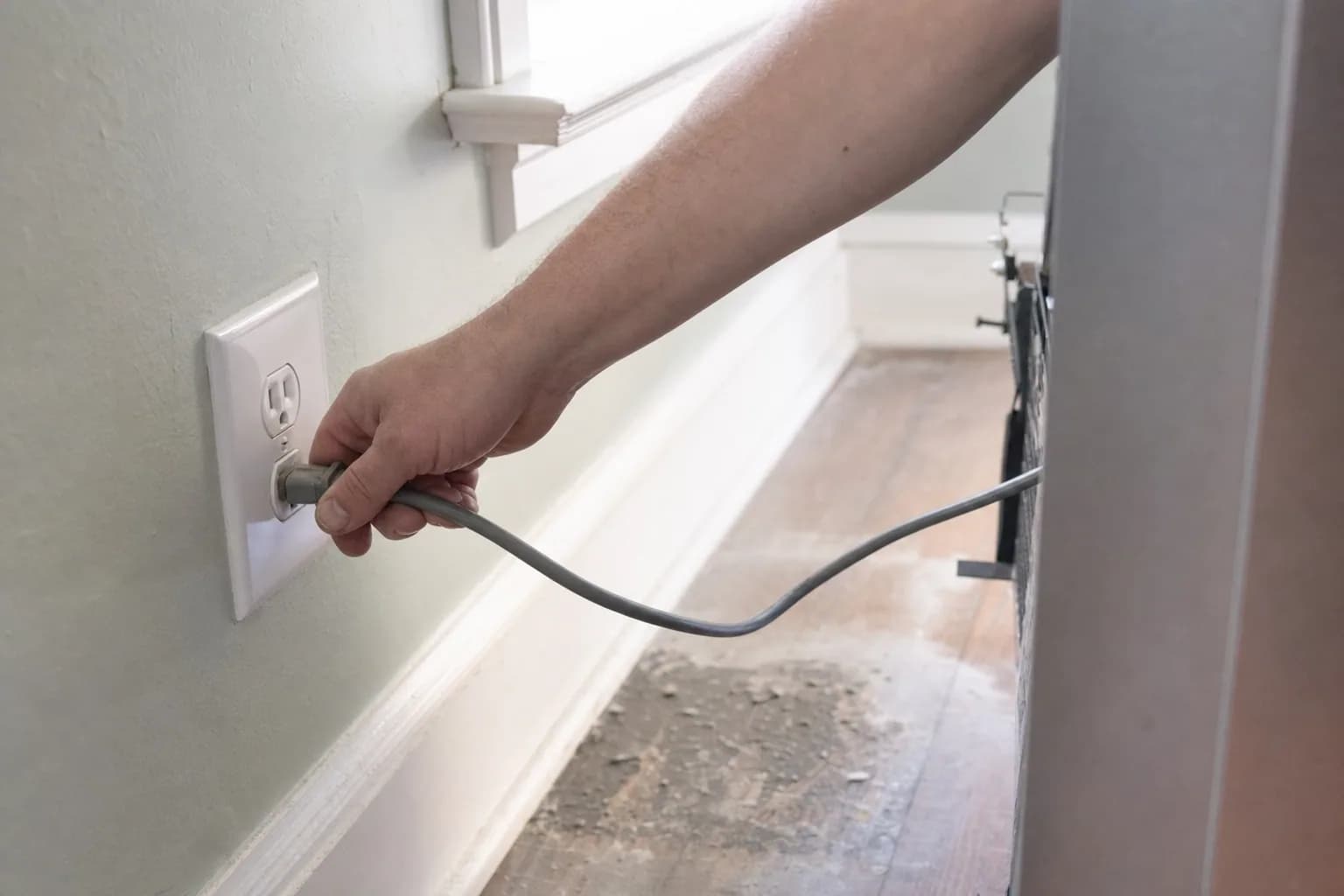
To reset a refrigerator, you almost always cut the power, wait a few minutes and turn it back on. Most refrigerators have no reset button for the whole unit; a button labeled reset usually clears something smaller, such as the water filter light. A power cycle can clear a frozen display or a temporary error code, but it does not fix a failed part, so if the problem comes back, the reset has told you something useful.
Is there a refrigerator reset button?
Usually not for the whole refrigerator. What you will find is a Filter Reset or Water Filter button that clears the filter reminder, a test or reset button on some ice makers, and on Samsung Family Hub models, a red switch inside the top of the right door that Samsung says resets the screen. The reset for the refrigerator itself is a power cycle.
How to reset a refrigerator: the power cycle
- Unplug it, or switch off its breaker. Pulling a refrigerator out to reach the plug can kink the water line, so the breaker is often easier.
- Wait. Samsung and LG both say about five minutes. Whirlpool says 1 minute, and GE suggests 30 seconds at the breaker. The brand sections below have the details.
- Restore power and keep the doors closed. LG notes that with the doors shut, a reset this short will not affect your food.
- Check the display. Make sure the temperature settings are where you left them and that no mode was switched on.
- Give it time. Samsung says three hours is usually enough to see the temperature start to drop.
Why it does not start cooling right away
After a short power interruption, the compressor may not restart the instant power returns. GE explains that the compressor overload cycles on and off, while the compressor itself waits, until the refrigerant system equalizes; then the compressor starts and refrigeration resumes on its own. Samsung adds that it can take up to 4 hours for the display to show the set temperature and up to 28 hours for the refrigerator to reach it, if the doors stay closed.
If the lights work but nothing gets cold after several hours, check for demo mode below, then see why is my fridge not cooling.
Demo mode: lights on, no cooling
Samsung, LG, Whirlpool and GE all have a showroom or demo mode that turns off cooling while leaving the lights and display working, and GE and Whirlpool both note it can be turned on by accident. The signs: Samsung displays OF OF or O FF, LG displays O F F, and some Whirlpool models show the word Showroom. The steps to turn it off are in the brand sections below. Do not confuse it with Sabbath mode, which on Whirlpool models turns off the dispenser pads and the dispenser display light while the refrigerator keeps its temperature settings.
Resetting the water filter light
On most models, the filter light does not clear itself when you install a new filter; you reset it from the control panel, usually by holding a button for about 3 seconds. The exception is GE models with an LCD touch screen and an RPWFE filter, which reset automatically when a new genuine filter with an ID chip is installed. After any filter change, flush the air out of the lines; our guide to a refrigerator water dispenser not working has each brand's routine.
Resetting the ice maker
Many ice makers have their own test or reset button, and the steps vary more than anything else on this list. Our guide to an ice maker not making ice covers the Samsung, Whirlpool, LG and Frigidaire procedures.
Reset steps by brand
Samsung
Samsung's reset is to unplug the refrigerator or turn off the breaker, wait about five minutes, then power it back on. For the filter light, press and hold Filter Reset for three seconds on standard models; on Family Hub models, go to Apps, Fridge Manager, Fridge Settings, Water Filter, then Reset. To leave Cooling Off mode (OF OF or O FF), standard models use two panel buttons touched and held together until a chime, with a three-button fallback; the positions are shown on Samsung's Cooling Off mode page. On Family Hub, go to Apps, Fridge Manager, Fridge Settings, Cooling Off, then Deactivate and Proceed. For codes, see our Samsung refrigerator error codes guide and our Samsung page.
LG
LG's reset is to unplug the refrigerator, wait about 5 minutes and plug it back in; on built-in models, LG says to turn off the breaker for 10 seconds instead. For the filter light, press and hold Water Filter or Filter Reset for 3 seconds. To leave demo mode (O F F) on 2018 and earlier models, open the right refrigerator door and hold Refrigerator and Ice Plus together for 5 seconds, until a second beep. On 2019 and newer models (serial number starting with 901 or higher), open either door, press and hold Ice Plus and Refrigerator, then, while still holding Refrigerator, press Ice Plus 3 times. LG says that if an error code persists after a reset, stop using the refrigerator and contact service; see LG refrigerator error codes and our LG page.
Whirlpool
Whirlpool's reset is to turn off the breaker or unplug the refrigerator for 1 minute, then restore power. After an outage, some models flash PO and disable the controls and dispenser until you acknowledge the power outage alert; your manual shows how. The filter reset depends on the control: hold Water Filter for 3 seconds on some models, press and hold Filter Reset on others, and touch Max Cool and Max Ice together for 3 seconds on others. Whirlpool says the Showroom exit sequence varies by model, so use your owner's manual. For the ice maker, press and hold its reset button for a few seconds if it has one; otherwise unplug the refrigerator for 1 minute and check for ice after a couple of hours. See our Whirlpool refrigerator error codes guide and our Whirlpool page.
GE
GE suggests switching off the breaker for 30 seconds to give the control a fresh start, and says that disconnecting power for a minute or two can clear some error codes, although some need service. For the filter light, press and hold Reset Water Filter for 3 seconds until the red light goes off; on some models it turns green instead, which GE says is normal. GE lists demo or showroom mode among the reasons a refrigerator will not run but does not publish one exit sequence for every model, so use your owner's manual. See our GE page.
When a reset does not fix it
If the same code, the same warm fridge or the same dead display comes back after a reset, a part has usually failed:
- Start relay or overload. A click from the bottom back, then silence, and no cooling.
- Evaporator or condenser fan motor. The compressor runs but the refrigerator stays warm.
- Defrost parts. Frost building on the freezer's back wall.
- Temperature sensor. Temperatures that do not match the settings.
- Control board. A display that stays blank or keeps resetting. We test the cheaper parts first.
What it costs in Jacksonville
The diagnostic visit is $79 ($119 for built-in or integrated refrigerators), and it is waived when you approve the repair. Repairs start at $179 labor plus parts, quoted in writing before any work begins. Most refrigerator repairs on standard brands run $200 to $450 all in; fans, defrost parts and relays sit at the low end and control boards at the high end. Every repair carries our 90-day parts-and-labor warranty. See our pricing.
Schedule refrigerator repair or call (904) 561-4790. Refrigerators that are not cooling get priority scheduling across Jacksonville & the First Coast.
About Jax Appliance Pros
Locally owned appliance repair for Jacksonville, the Beaches, St. Johns, Clay and Nassau counties. Same-day or next-day service on refrigerators, washers, dryers, dishwashers, ovens, cooktops, ranges and garbage disposals. $79 diagnostic waived with the repair, 90-day parts-and-labor warranty. Insured. More about us.