Microwaves
Microwave Not Heating but Still Running? What It Means
Microwave not heating, even though it runs and the plate turns? The safe checks to try first, what usually fails inside, and what repair costs in Jacksonville.
By Jax Appliance Pros · · 7 min read
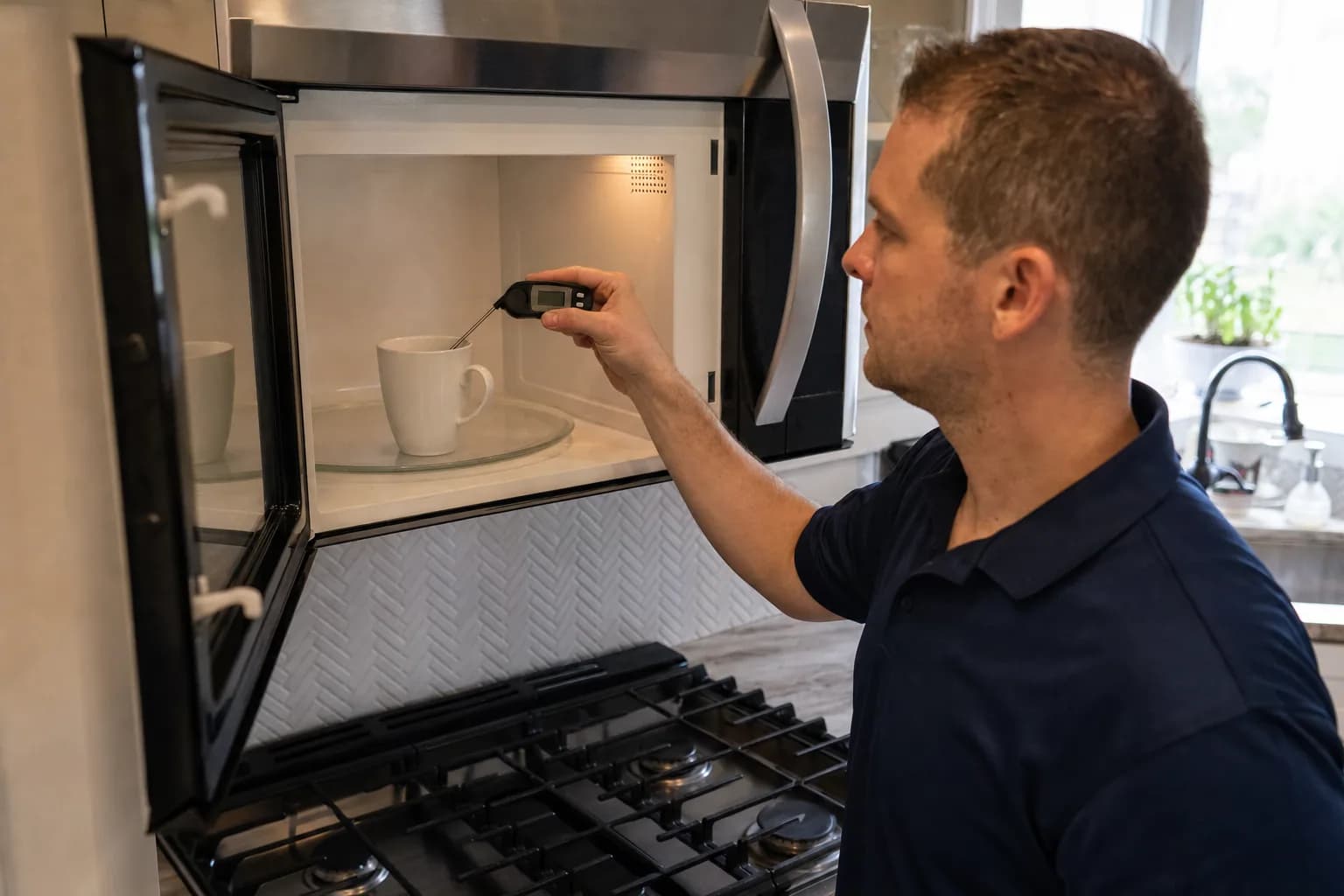
If your microwave is not heating but still lights up, hums and turns the plate, either a setting is keeping the heat off or a part in the high-voltage circuit that makes the heat has failed. The first takes a minute to fix yourself. The second needs a technician, and on an over-the-range or built-in microwave it is usually worth doing.
Safety first: never open the cabinet
Never open the microwave's cabinet or remove its cover. A microwave steps household power up to thousands of volts, and its high-voltage capacitor can hold a dangerous, potentially lethal charge even after the microwave is unplugged. GE Appliances warns about that capacitor and offers no do-it-yourself microwave repair advice, and the Consumer Product Safety Commission warns against do-it-yourself microwave repair, citing electrocution deaths. Every check below is done from the outside.
The FDA, which regulates microwave ovens, also says not to use one whose door does not close firmly or is bent, warped or otherwise damaged, and to stop using one that keeps running with the door open.
Checks you can do yourself
- Check the settings. A low power level, a kitchen timer started instead of a cook cycle, or a Delay Start still counting down can all look like a microwave that runs without heating. Clear the display and set a cook time at 100% power. If the keypad does nothing, see microwave stopped working for the control lock.
- Rule out demo mode. Showroom demo mode runs the light, fan and turntable without heating, and Samsung notes that the timer counts down much faster than usual. Your owner's manual shows how to exit it; on Samsung models with an Options or My Settings button, set option 6 to 2.
- Close the door firmly. A door that is not fully shut can let a microwave run without heating. Wipe crumbs off the door edge and frame with a damp cloth. If the door is bent or a latch is broken, stop using the microwave.
- Check the turntable. The glass tray should sit right side up on its roller ring and hub, with no food under the wheels, and any Turntable On/Off pad should be on.
- Do the water test. Heat one cup of water in a microwave-safe glass measuring cup on full power for one minute; it should come out noticeably warmer. Never test the microwave empty, and lift the cup carefully, because water heated on its own can superheat and erupt. USDA suggests leaving a microwave-safe spoon in the cup.
- Reset it. Unplug it, or switch off the breaker on an over-the-range model, for one minute, then repeat the water test.
If the water is still cold, the fault is inside the cabinet.
Microwave runs but stopped heating
The light, fan, display and turntable run on ordinary 120-volt power. Heating is a separate circuit: a transformer steps the power up to thousands of volts, a capacitor and diode feed it to the magnetron, and the magnetron makes the microwaves. If one of those parts fails, or a door switch stops confirming the door is shut, everything else keeps running and the food stays cold.
How to fix a microwave that is not heating
The safe fixes are the checks above. Beyond them, Panasonic tells owners not to disassemble or repair a microwave themselves. A technician discharges the capacitor first, then tests each high-voltage part with a meter so only the failed one is replaced.
Microwave not heating evenly
Some unevenness is normal. USDA notes that microwaves can leave cold spots where harmful bacteria survive, and recommends stirring or turning food midway even when there is a turntable. If it is new, check these:
- Turntable. A plate that has stopped turning leaves food in the same hot and cold spots. If it is seated and switched on but will not turn, the turntable motor has probably failed.
- Power level. GE suggests a lower power level and more time for even cooking, and USDA recommends medium (50%) power for large cuts of meat.
- Stirring. Stir or turn food halfway through, cover the dish, put thicker pieces toward the outside and use a round dish, as GE suggests. Reheat leftovers to 165°F, as USDA advises.
- No turntable? Some microwaves, such as Sharp's microwave drawers, have a flat floor and use a stirrer fan to spread the energy instead. New hot and cold patches in one of these can mean the stirrer has stopped.
Not heating as well as it used to
Magnetrons weaken with age, but rule out simple causes first. Plug the microwave straight into a wall outlet: LG and Panasonic advise against extension cords, and Panasonic notes that low voltage makes a microwave cook slowly. On a generator or inverter, Whirlpool says there may be power for the lights and controls but not for heating. A countertop model also needs clearance for venting, and Samsung says too little can cause weak heating.
Then try USDA's time-to-boil test: one cup of ice-cold water (ice removed) in a 2-cup glass measure, on High, watching for the boil. Under 2 minutes means 1,000 watts or more, about 3 minutes means 650 to 700 watts, and no boil by 4 minutes means 300 to 500 watts. If a 1,000-watt microwave (check inside the door or the manual) now takes 3 minutes or more, it is well short, and the magnetron is the usual suspect.
Sparking inside the microwave
Stop it the moment you see sparks; USDA says arcing caught at once should not damage the oven. The usual causes:
- Metal. Foil, twist ties, metal pans, dishes with gold or silver trim, or a metal rack out of place. USDA notes that some foods, such as raw carrots and hot dogs, can spark too.
- Food splatter. Whirlpool and LG both name baked-on food as a cause. Once it has cooled, unplug the microwave and wipe the inside with a soft, damp cloth.
- A damaged waveguide cover. The small panel on an inside wall that looks like cardboard is usually mica, covering the opening the microwaves come through. Samsung says a damaged or heavily soiled cover should be replaced, not removed.
If it still sparks, the cover is burned, or the paint inside is peeling or holed, stop using it and have it checked. GE says a hole burned through the cavity wall cannot be repaired.
What usually fails
- Magnetron. It makes the microwaves. A failed one means no heat and a weak one means slow heat.
- High-voltage diode. It feeds power to the magnetron, so there is no heat when it fails.
- High-voltage capacitor. Part of the same circuit, and the reason the inside is dangerous even when unplugged.
- High-voltage transformer. It steps 120 volts up to thousands; no heat when it fails.
- Door interlock switches. Worn switches can let the light and fan run with no heat. Whirlpool says a light that stays on with the door closed, or stays off with it open, points to a bad switch.
- Turntable motor or stirrer. Patchy heating.
- Control board. Occasionally the cause; we confirm it with tests first.
Thermal cutouts and the ceramic fuse usually leave a microwave dead or shutting itself off; see microwave stopped working.
What it costs in Jacksonville
We repair over-the-range and built-in microwaves. The diagnostic is 79, or 119 for a microwave-oven combo, and it is waived when you approve the repair. Repairs start at 179 plus parts for over-the-range and built-in microwaves and 249 plus parts for oven-microwave combos, quoted as a flat rate in writing before any work begins. We carry common parts on the van, so most repairs are done on the first visit, and if a part must be ordered there is no trip charge for the return. Every repair carries our 90-day parts-and-labor warranty. See our pricing.
Repair or replace?
Honestly, a countertop microwave is usually cheaper to replace than to repair. Over-the-range and built-in microwaves cost more and have to be mounted or fitted to your cabinets, so repair usually wins. Replacing an over-the-range unit anyway? We can install the new one. Our repair-or-replace guide explains the 50% rule.
Book microwave repair or call (904) 561-4790 for same-day service across Jacksonville & the First Coast.
About Jax Appliance Pros
Locally owned appliance repair for Jacksonville, the Beaches, St. Johns, Clay and Nassau counties. Same-day or next-day service on refrigerators, washers, dryers, dishwashers, ovens, cooktops, ranges and garbage disposals. $79 diagnostic waived with the repair, 90-day parts-and-labor warranty, licensed and insured. More about us.