Dryers
How to Reset a Dryer: Samsung, LG, Whirlpool, GE
How to reset a dryer from Samsung, LG, Whirlpool or GE, why most have no reset button, how to reset a double-pole breaker, and when a reset won't help.
By Jax Appliance Pros · · 7 min read
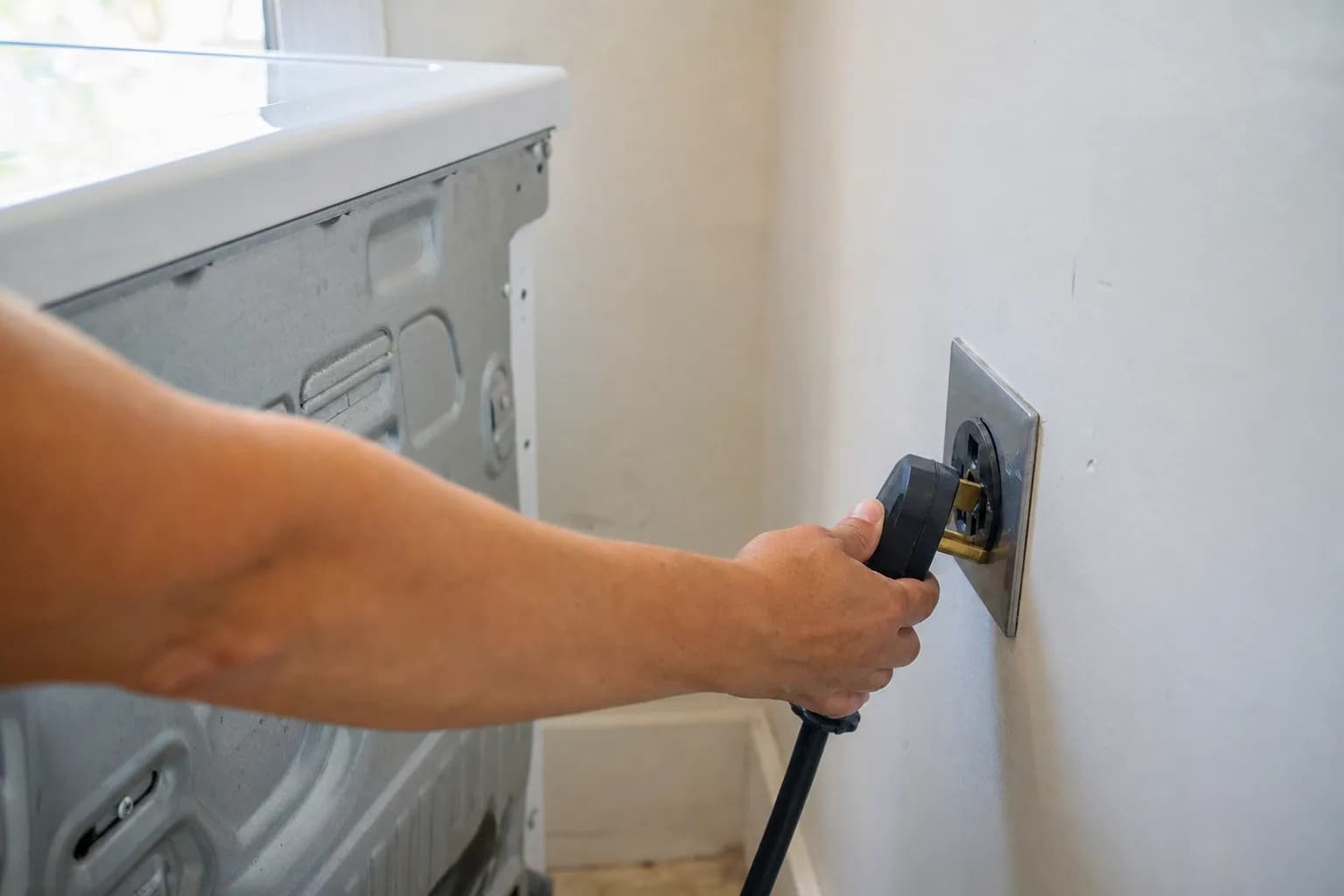
To reset a dryer, you cut its power, wait, and turn it back on. Most home dryers have no reset button; a power cycle at the plug or the circuit breaker is the reset that Samsung, LG, Whirlpool and GE describe for their dryers. A reset clears a frozen control or a one-time glitch, but it will not fix a failed part, and a dryer that has lost its heat almost never needs a button pressed.
Safety first. Electric dryers run on 240 volts, and switching off the breaker is often easier and safer than wrestling a heavy plug out of an outlet behind the dryer. Do not touch a cord or plug that is scorched, melted or wet; switch off the breaker and call. A gas dryer plugs into a regular 120-volt outlet. Never touch, bend or disconnect its gas line, and if you smell gas, do not touch any switches; leave the house and call the gas utility or 911 from outside.
How to reset a dryer, step by step
- Turn the dryer off and cancel the cycle, if the controls respond.
- Cut the power. Unplug the dryer, or switch off its breaker at the panel. On an electric dryer, that is a double-pole breaker: two switches joined by one handle.
- Wait. Samsung says to give the electrical charge time to clear, usually 1 to 5 minutes at most. Whirlpool's instruction after a power failure is one minute at the breaker.
- Restore power and give the display a moment to come back.
- Check the locks and the door. Make sure no control lock or child lock is on (see your brand below) and the door is firmly shut.
- Start a short timed cycle. Whirlpool says to press and hold Start for two to five seconds, not just tap it.
If an error code comes back right away, write it down before you reset again. Samsung warns that a reset clears the error codes in memory, which makes the problem harder for a technician to diagnose, and says not to keep clearing a code that returns.
Does a dryer have a reset button?
Almost never on a home dryer. The reset procedures Samsung, LG, Whirlpool and GE publish for their dryers are power cycles, button holds and breaker resets, not a hidden button. If your owner's manual shows a reset button for your model, follow the manual exactly. If it does not, there is no button to find, and taking panels off to look for one is not worth the risk.
Dryer not heating: reset button location
The honest answer is that no reset button brings the heat back. When a dryer overheats, a thermal fuse opens to cut the heat, or on many models the whole dryer. It is a one-time safety device: once it blows, it has to be replaced, not reset. It almost always blows because the vent is restricted, so a new fuse without a clear vent blows again. Our guide to a dryer not heating covers the other causes.
There is one reset worth trying: the breaker. GE says an electric dryer can run on a partial 120 volts but will not heat without its full 208 or 240 volts, and that a breaker can be partially tripped even when it does not look tripped. Switch the dryer breaker all the way off, then back on.
Samsung dryer reset
- Reset: unplug the dryer or switch off its breaker, wait 1 to 5 minutes, then restore power.
- Child Lock: Samsung says restarting the dryer will not turn Child Lock off. Press and hold the two buttons labeled for Child Lock; on models with a temporary-off setting, the first hold makes the icon flash and a second hold turns it off.
- Codes: look up the code in Samsung dryer error codes before you reset, and confirm it in your owner's manual. More on the brand at Samsung.
LG dryer reset
- Reset: LG says to unplug the dryer (or turn off its breaker and unplug it), then, while it has no power, press and hold the Power button for 5 seconds and then the Start/Pause button for 5 seconds. Restore power and try again.
- Check the outlet: LG notes that some outlets are controlled by a wall switch, so make sure that switch is on.
- Child Lock: CL on the display means Child Lock is on. LG says it stays on after the cycle ends, even when the dryer is turned off, and the dryer will not start until you turn it off. Hold the Child Lock button, or the two buttons marked with the lock, for 3 to 5 seconds.
- Codes: see LG dryer error codes and our LG page.
Whirlpool dryer reset
- Reset after a power outage: a PF code means a power failure interrupted the cycle. Whirlpool says to turn off the dryer's breaker for one minute, turn it back on, and watch the dryer for a minute to make sure the code does not return. To clear PF, touch and hold Start to restart, or press Power.
- Controls Locked: if the Controls Locked light is on, Whirlpool says to press and hold Cycle Signal for three seconds on most models.
- Two breakers: Whirlpool notes that electric dryers use two household fuses or breakers, and both must be working.
- More on the brand at Whirlpool.
GE dryer reset
- Reset: GE's guidance is to turn the dryer breaker all the way off and back on, because a breaker can look on while it is partially tripped. GE says the dryer should be on its own 240-volt outlet with a 30-amp breaker or fuse.
- Control Lock: depending on the model, GE says to press and hold Extended Tumble and the minus button for 3 seconds, or the Light pad for 3 seconds. The lock icon flashes while it changes and turns off when unlocked, and the Power button still works while the controls are locked.
How to reset a double-pole dryer breaker
- Find the dryer breaker in the panel: a double-width breaker with two switches tied together, usually labeled for the dryer.
- Push the handle firmly all the way to OFF. A tripped breaker often rests in the middle, and it will not reset until it goes fully off.
- Push it back to ON.
- If your home has a fuse box instead, an electric dryer uses two fuses, and both must be good.
If the breaker trips again when you turn it on or start the dryer, leave it off. Something is drawing too much current, and resetting it over and over is not safe. Whirlpool says to call an electrician if a fuse or breaker problem continues, and GE recommends service if the breaker keeps tripping when the dryer is on. Wiring, outlet and breaker work is a job for a licensed electrician; a fault inside the dryer is ours.
When a reset won't fix it
A reset clears confusion, not wear. If the dryer still will not start, runs without turning the drum, shows the same code again or has no heat after a breaker reset, a part has failed. Our guide to a dryer not spinning or starting walks through those.
What it costs in Jacksonville
The diagnostic is $79 and is waived when you approve the repair. Dryer repairs start at $179 labor plus parts, and you get a written flat-rate estimate before any work begins. Typical dryer repairs run $180 to $320 all in on standard brands. Every dryer repair includes a vent airflow check, which matters most when a thermal fuse has blown. Many repairs can be finished on the first visit, and every repair carries our 90-day parts-and-labor warranty. See our pricing.
Schedule dryer repair or call (904) 561-4790 for same-day service across Jacksonville & the First Coast.
About Jax Appliance Pros
Locally owned appliance repair for Jacksonville, the Beaches, St. Johns, Clay and Nassau counties. Same-day or next-day service on refrigerators, washers, dryers, dishwashers, ovens, cooktops, ranges and garbage disposals. $79 diagnostic waived with the repair, 90-day parts-and-labor warranty. Insured. More about us.